Duplicate PAN Card: Apply Online for Lost or Damaged Card
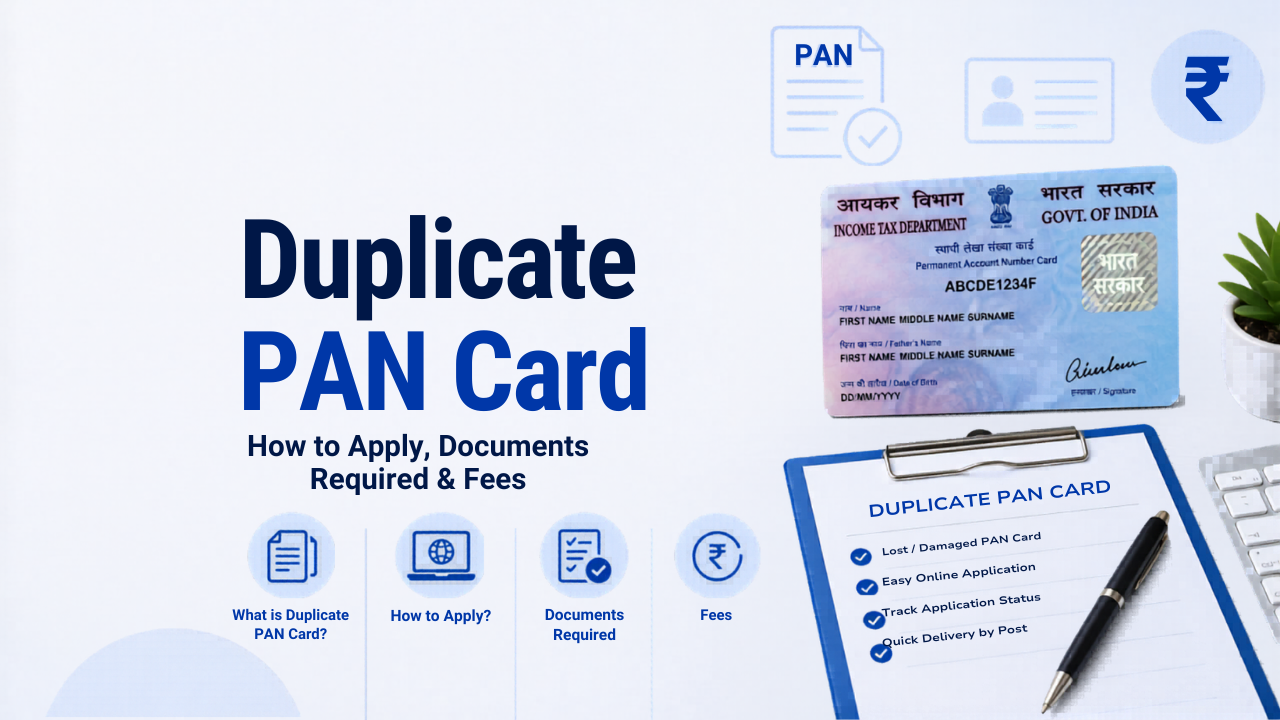
If you have lost, damaged, or had your PAN card stolen, you do not need to apply for a new PAN number. You only need a reprint of your existing card with the same PAN number. You can apply for a duplicate PAN card online through Protean eGov (formerly NSDL) or UTIITSL in a few minutes, or get a free e-PAN instantly through the Income Tax e-Filing portal.
One thing I want to be absolutely clear about before anything else: applying for a new PAN when you already have one is illegal under Section 272B of the Income Tax Act and attracts a penalty of Rs. 10,000. If your card is lost or damaged, you apply for a reprint of your existing PAN, not a fresh one.
In this guide, I will walk you through the complete process: when to apply, which portal to use, step-by-step instructions for NSDL and UTIITSL, the fee structure, documents required, what to do if your details have changed, and how to track your application.
When Should You Apply for a Duplicate PAN Card?
You should apply for a duplicate PAN card in the following situations:
- Lost or misplaced PAN card: You cannot find your card but your PAN number is intact in your records.
- Stolen PAN card: Your wallet or bag was stolen and the card was in it. In this case, filing a police FIR is advisable before applying, though it is not mandatory.
- Damaged PAN card: The card is cracked, lamination has peeled, or text has faded and become unreadable.
- No changes needed in PAN data: Your name, date of birth, father’s name, and other details on record are all correct and unchanged.
If your name has changed after marriage, your date of birth needs correction, or you want to update your photo or signature, that is not a reprint. That is a correction in PAN data, which uses the same form but a different process. I have covered this distinction clearly below.
Duplicate PAN Card Fees (2025)
Before starting the application, check which type of PAN card you need and the applicable fee:
| Type | Delivery Address | Fee (inclusive of GST) |
|---|---|---|
| Physical PAN card reprint | Indian address | Rs. 50 |
| Physical PAN card reprint | Foreign address | Rs. 959 |
| e-PAN only (via NSDL or UTIITSL) | Email delivery | Rs. 66 approx. |
| e-PAN via Income Tax e-Filing portal (Aadhaar-based) | Email / download | Free |
For most people, the free e-PAN from the Income Tax portal is the fastest option. It is legally valid and accepted everywhere a physical PAN card is accepted. The physical card through NSDL or UTIITSL takes 15 to 20 working days to arrive by post.
Method 1: Get a Free e-PAN Instantly from the Income Tax Portal
If your PAN is linked to your Aadhaar, this is the fastest and cheapest route. The e-PAN is issued in PDF format and is completely free of charge.
- Visit the Income Tax e-Filing portal at incometax.gov.in.
- On the homepage, under Quick Links, click on Instant e-PAN.
- Select Check Status / Download PAN.
- Enter your Aadhaar number and click Continue.
- An OTP will be sent to your Aadhaar-linked mobile number. Enter it to verify.
- Your e-PAN will be available for download immediately.
Condition: This works only if your PAN is linked to your Aadhaar and your Aadhaar is linked to a working mobile number. If your PAN is not linked to Aadhaar, use the NSDL or UTIITSL route below. Note that an inoperative PAN (not linked to Aadhaar) can also result in notices from the Income Tax Department. Read our guide on income tax demand notices to understand what happens if your PAN is flagged.
Method 2: Apply via Protean (NSDL) Online
Protean eGov Technologies Limited (formerly NSDL) is one of the two authorised agencies for PAN services in India. Here are the steps to apply for a duplicate PAN card through their portal:
- Visit onlineservices.proteantech.in and navigate to the PAN section.
- Click on Apply Now under PAN services.
- Select Reprint of PAN Card from the application type dropdown. This option appears when there are no changes to your existing PAN data.
- Enter your existing 10-digit PAN number, Aadhaar number, and date of birth. If you are a business, enter your GSTIN where applicable.
- Read the declaration, tick the checkbox, enter the captcha, and click Submit.
- Your existing PAN details will be displayed on screen. Verify them carefully.
- Choose to receive an OTP on your registered mobile number, email, or both, and complete the OTP verification.
- Proceed to payment. Pay Rs. 50 (for Indian address) using debit card, credit card, or net banking.
- After payment, a 15-digit acknowledgement number is generated. Save this for tracking.
- If you chose Aadhaar-based e-sign, the process ends here. If you chose physical document submission, you must courier self-attested documents to Protean’s Pune office within 15 days of the online application.
Protean postal address (for document submission if required):
Protean eGov Technologies Limited, 5th Floor, Mantri Sterling, Plot No. 341, Survey No. 997/8, Model Colony, Near Deep Bungalow Chowk, Pune – 411016, Maharashtra.
Method 3: Apply via UTIITSL Online
UTIITSL (UTI Infrastructure Technology and Services Limited) is the second authorised agency. The process is similar to NSDL:
- Visit pan.utiitsl.com and click on PAN Card for Indian Citizen / NRI.
- Select Reprint of PAN Card.
- Enter your PAN number, date of birth, and registered mobile number or email.
- Complete OTP verification.
- Confirm your existing PAN details on screen.
- Choose physical PAN or e-PAN and complete the payment of Rs. 50.
- Download the acknowledgement slip.
Which portal to use? Use the portal through which your original PAN was issued. If you are not sure, try either one. The portals can detect which agency originally processed your PAN and redirect you accordingly if needed.
Method 4: Apply Offline (Physical Form Submission)
If you prefer an offline route or do not have online access:
- Download the Request for New PAN Card or Changes or Correction in PAN Data form from the Protean or UTIITSL website. This is the same form used for new PAN applications and corrections.
- Write your existing PAN number at the top of the form.
- Fill in all the columns but do not tick any checkboxes on the left margin if you do not want to make any changes. The checkboxes indicate change requests. Ticking them when you only want a reprint will route your application as a correction request.
- Affix two recent passport-size photographs in the space provided and cross-sign across one of them. Ensure the face is clearly visible and the signature does not cover the face.
- Attach self-attested copies of proof of identity and proof of address.
- Submit the form at the nearest TIN Facilitation Centre (TIN-FC) or PAN centre along with the fee payment.
After submission, a 15-digit acknowledgement number is generated. The duplicate PAN card is dispatched within 15 to 20 working days.
Documents Required for Duplicate PAN Card
For a simple reprint (no changes in data), documentation requirements are minimal since your details already exist in the system. What you typically need:
| Verification Method | Documents Needed |
|---|---|
| Aadhaar-based OTP (online) | Aadhaar number linked to mobile. No physical documents required. |
| Physical document submission (offline or online) | Self-attested copy of any one proof of identity (Aadhaar, Voter ID, Passport, Driving Licence) and proof of address |
| Proof of existing PAN | A photocopy or scan of the old PAN card (if available). Not mandatory but helpful. |
No medical bills, no income proof, and no FIR copy is required for a standard lost PAN reprint. However, filing a police complaint for a stolen PAN is a good practice as it protects you if someone misuses your PAN card details.
Reprint vs Correction: Which Form Do You Need?
This is where most people get confused. Both use the same form, but the process and intent are different:
| Situation | What to Apply For |
|---|---|
| Lost, stolen, or damaged card, no data change needed | Reprint of PAN Card (select “No changes in existing PAN data”) |
| Name change after marriage or court order | Correction in PAN data (tick the Name field checkbox) |
| Date of birth correction | Correction in PAN data |
| Photo or signature update | Correction in PAN data |
| Address update | Note: PAN card does not show address. Update your address on the Income Tax portal directly, not through PAN correction. |
If you are applying for correction and reprint together, tick the relevant checkboxes on the left margin of the form for the fields you want to change, and also select the reprint option. The fee remains the same: Rs. 50 for Indian address delivery.
How to Track Your Duplicate PAN Card Application
Once you have applied and received a 15-digit acknowledgement number, you can track the status:
Via NSDL (Protean):
- Visit tin.tin.nsdl.com/pantan/StatusTrack.html
- Select application type as PAN – Reprint of PAN Card
- Enter your 15-digit acknowledgement number and the captcha
- Click Submit to see the current status
Via UTIITSL:
- Visit www.trackpan.utiitsl.com
- Enter your application coupon number or PAN and date of birth
- Complete the security check and view your status
Status messages you may see: “Under Verification”, “Under Printing”, or “Dispatched with Airway Bill Number”. Once dispatched, the airway bill number allows you to track the physical card via India Post Speed Post.
Physical PAN Card vs e-PAN: What is the Difference?
| Feature | Physical PAN Card | e-PAN |
|---|---|---|
| Format | Laminated plastic card | PDF file sent to your email |
| Time to receive | 15 to 20 working days | Instant (IT portal) or within 2 working days (NSDL/UTIITSL) |
| Fee | Rs. 50 (Indian address) | Free (IT portal) or Rs. 66 approx. (NSDL/UTIITSL) |
| Legal validity | Fully valid | Fully valid, accepted everywhere physical card is accepted |
| Best for | When physical card is needed for submission | Immediate requirement, ITR filing, online KYC |
The e-PAN is digitally signed by the Income Tax Department and carries a QR code. It is legally equivalent to the physical card for all purposes, including bank KYC, income tax filing, and financial transactions. I recommend downloading the e-PAN immediately and keeping a physical reprint application in process if you need the card for offline submission.
Frequently Asked Questions
Can I apply for a duplicate PAN card without knowing my PAN number?
Yes. If you do not remember your PAN number, use the Know Your PAN facility on the Income Tax e-Filing portal. Enter your name, date of birth, and registered mobile number to retrieve your PAN. Alternatively, check your old ITR acknowledgements, Form 16, bank passbook, or your AIS or Form 26AS on the income tax portal where your PAN is always displayed after login.
Is it mandatory to file an FIR for a lost PAN card?
No. Filing an FIR is not mandatory to apply for a duplicate PAN card. However, it is a recommended precaution, especially if your card was stolen. The FIR creates a paper trail that protects you if someone misuses your PAN for financial transactions or loan applications.
Will my PAN number change when I apply for a duplicate?
No. Your PAN number stays the same. A duplicate PAN card is a reprint of your original card. Only the physical card or e-PAN file is reissued. The 10-digit alphanumeric PAN number is permanent and does not change under any circumstances.
How long does it take to get a duplicate PAN card?
The e-PAN through the Income Tax portal is available within minutes. For physical PAN cards via NSDL or UTIITSL, the card is dispatched within 15 to 20 working days after the application and document verification are complete.
Can an NRI apply for a duplicate PAN card?
Yes. NRIs can apply for a duplicate PAN card online through the NSDL or UTIITSL portals. The fee for delivery to a foreign address is Rs. 959. The e-PAN option through the Income Tax portal works for NRIs as well, provided their Aadhaar is linked and active. For a broader understanding of PAN obligations in India, read our complete income tax guide for India.
I applied through NSDL originally but the portal is redirecting me to UTIITSL. What should I do?
This is a known system behaviour. If your PAN was originally processed through NSDL and you try to apply on UTIITSL, the portal detects the original processing agency and prompts you to use the NSDL portal and vice versa. Simply switch to the correct portal and proceed. The Income Tax e-Filing portal’s Instant e-PAN option works regardless of the original processing agency, as long as your Aadhaar is linked.
What happens if I accidentally apply for a new PAN instead of a reprint?
Holding two PAN cards with two different PAN numbers is illegal under Section 272B of the Income Tax Act and carries a penalty of Rs. 10,000. If this happens, you must immediately surrender the duplicate PAN by writing to your Assessing Officer (AO). Include both PAN numbers, state which one you want to retain, and request cancellation of the other.