GSTR-2A: What It Is, How to View and Reconcile It
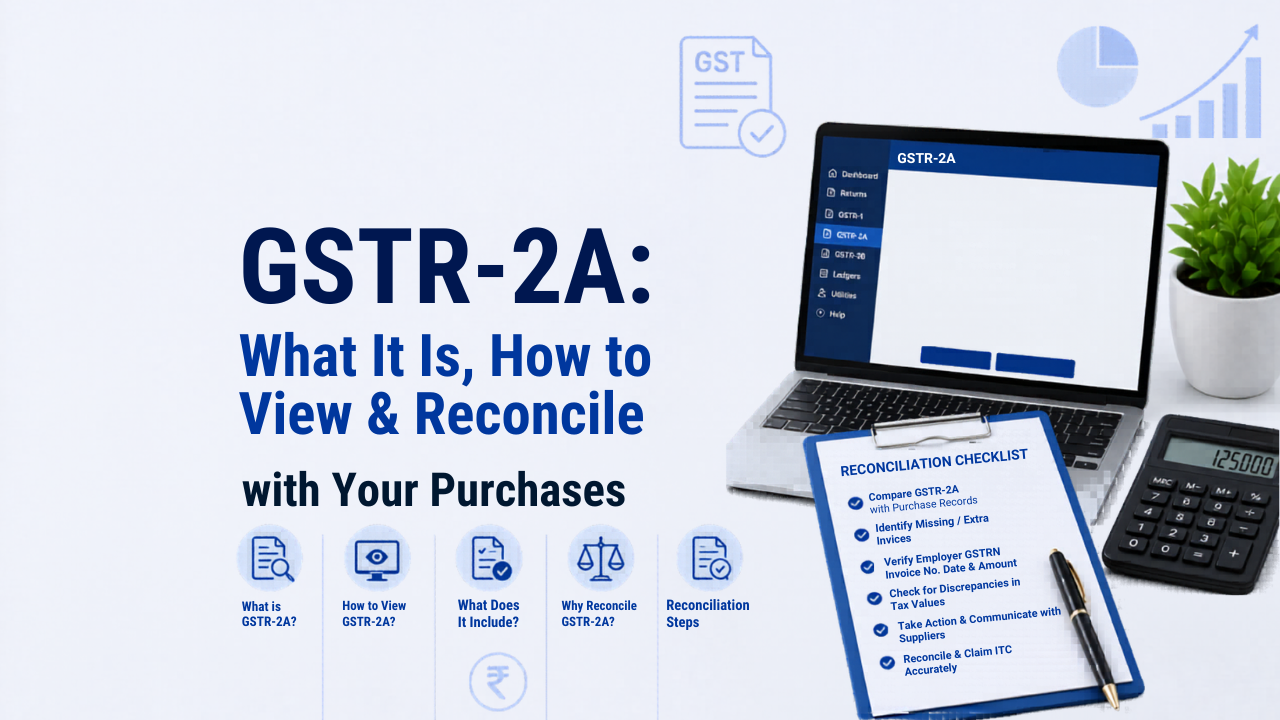
GSTR-2A is a dynamic, read-only statement on the GST portal that shows all purchase invoices your suppliers have uploaded against your GSTIN. It is automatically generated by the GST portal from your suppliers’ GSTR-1, GSTR-5, GSTR-6, GSTR-7, and GSTR-8 filings, as well as from import data received from ICEGATE. You do not file GSTR-2A. You only view and download it for reconciliation with your own purchase records. You can access the official GSTN guide on GSTR-2A for the most current portal instructions.
The single most important thing to understand about GSTR-2A is that it is dynamic. It keeps updating throughout the month and even across months as suppliers file, amend, or refile their returns. This is both its biggest strength and its main source of confusion. An invoice that is missing today may appear tomorrow. An invoice that appeared last week may get amended today with a different value. GSTR-2A never locks.
In this guide, I will cover what GSTR-2A shows, the five sources it pulls data from, how to view and download it on the GST portal, how to reconcile it with your purchase register, how it differs from GSTR-2B, what to do when there are mismatches, and how IMS has changed the reconciliation process since October 2024.
What is GSTR-2A?
GSTR-2A is a purchase-related tax statement generated by the GST portal for every registered taxpayer. It reflects the inward supply invoices that your suppliers have declared in their outward supply returns against your GSTIN.
Think of it as a mirror. When your supplier files their GSTR-1 and declares an invoice in your name, that invoice immediately appears in your GSTR-2A. If they amend it the next day, the amendment reflects in your GSTR-2A within hours. If they file it three months late, it appears in your GSTR-2A for that later period.
You cannot change anything in GSTR-2A. It is read-only. If something is wrong, the correction must happen at the supplier’s end through their GSTR-1 or GSTR-1A. This supplier dependency is the most critical operational challenge when managing GSTR-2A.
What Does GSTR-2A Contain?
GSTR-2A is divided into four parts based on the source of the data:
| Part | Data Source | What It Shows |
|---|---|---|
| Part A | Supplier’s GSTR-1, GSTR-5, GSTR-1A | B2B invoices, debit notes, credit notes, and amendments from your registered suppliers and non-resident taxable persons |
| Part B | Input Service Distributor’s GSTR-6 | ISD credits distributed to your GSTIN by your head office or Input Service Distributor |
| Part C | GSTR-7 (TDS deductor) and GSTR-8 (e-commerce TCS) | TDS deducted from payments made to you by government bodies and TCS collected by e-commerce platforms from your sales |
| Part D | ICEGATE (Indian Customs) | Import of goods from overseas on bill of entry; inward supply of goods from SEZ units and developers |
Part A is what most businesses interact with day to day. Parts B, C, and D are relevant only if you receive ISD credits, deal with government TDS, sell through e-commerce platforms, or import goods.
How to View and Download GSTR-2A on the GST Portal
- Log in to the GST portal at gst.gov.in with your GSTIN and password.
- Go to Services > Returns > Returns Dashboard.
- Select the financial year and the tax period (month or quarter) you want to review.
- On the Returns Dashboard, scroll to the GSTR-2A tile and click View.
- The online view shows up to 500 records. For more than 500 records, you must download the data.
- To download, click Generate Excel File to Download for a spreadsheet format, or Generate JSON File to Download for use with the GST Offline Matching Tool. The file generation takes a few minutes. Refresh and download once ready.
- Open the Excel file and sort by supplier GSTIN, invoice date, or tax amount to begin your reconciliation.
Tip: Download GSTR-2A at least twice in a month. Once around the 8th or 9th, to see which suppliers have filed so far and follow up with those who have not. And once after the 11th (GSTR-1 due date for monthly filers), to see the final picture before GSTR-2B is generated on the 14th. Mid-month monitoring is the difference between a smooth filing and a last-minute scramble.
GSTR-2A vs GSTR-2B: What is the Difference?
This is the question I hear most often, and the confusion between the two is the root cause of most ITC-related errors. They are not the same document.
| Feature | GSTR-2A | GSTR-2B |
|---|---|---|
| Nature | Dynamic. Updates in real time as suppliers file. | Static. Generated once per month on the 14th. Does not change after generation. |
| When is it available | Throughout the month, updating continuously | On the 14th of the following month (e.g., May 14 for April’s period) |
| Cut-off date | No cut-off. Updates any time a supplier files, even months later. | Captures supplier filings up to the 11th of the month (GSTR-1 due date for monthly filers). Late filings appear in next month’s GSTR-2B. |
| Purpose | Monitoring, reconciliation, and supplier compliance tracking | Formal basis for claiming ITC in GSTR-3B |
| Can ITC be claimed based on it? | No. Indicative only. | Yes. GSTR-2B is the authoritative document for ITC claims as per Rule 36(4). |
| Impact of IMS actions | Not affected by IMS Accept/Reject/Pending decisions | Directly determined by IMS decisions from October 2024 onwards |
| Annual return (GSTR-9) | Used for annual reconciliation in Table 6 and Table 8 of GSTR-9 | Primary reference for monthly ITC claims throughout the year |
The practical rule: Use GSTR-2A to monitor and follow up with suppliers during the month. Use GSTR-2B as the final basis for claiming ITC in GSTR-3B. Never claim ITC based solely on GSTR-2A.
How to Reconcile GSTR-2A with Your Purchase Register
The reconciliation process has three stages. I recommend doing this every month before filing GSTR-3B, not just at year end.
Stage 1: Purchase Register vs GSTR-2A
Your purchase register is your internal record of all invoices received. GSTR-2A is what your suppliers have declared on the portal. Compare them invoice by invoice:
- Invoice in your books but missing from GSTR-2A: Your supplier has not filed their GSTR-1 yet, or filed late. Contact them immediately and ask them to file or correct their return. Until the invoice appears in GSTR-2A and flows into GSTR-2B, you cannot safely claim ITC on it for the current period.
- Invoice in GSTR-2A but not in your books: Either the supplier uploaded a duplicate invoice, or you received a supply you did not record. Investigate before accepting or claiming ITC on it.
- Amount mismatch: The invoice is present in both records but the taxable value or GST amount differs. Reconcile with the physical invoice and then contact the supplier to correct their GSTR-1 if needed.
Stage 2: GSTR-2A vs GSTR-2B
Not everything that appears in GSTR-2A will appear in GSTR-2B for the same month. The difference arises because:
- A supplier filed their GSTR-1 after the 11th of the month. The invoice appears in GSTR-2A (dynamic) but not in that month’s GSTR-2B (cut-off is the 11th, GSTR-2B generated on the 14th). It will appear in next month’s GSTR-2B.
- From October 2024, IMS decisions (Accept, Reject, Pending) also determine GSTR-2B content. An invoice you marked as Pending in IMS does not appear in the current GSTR-2B. It defers to the next month’s cycle.
GSTR-2A will always show more invoices than GSTR-2B in any given month. That is by design. GSTR-2A is the full picture; GSTR-2B is the filtered, actionable subset.
Stage 3: GSTR-2B vs GSTR-3B (ITC Claimed)
Finally, reconcile the ITC shown in GSTR-2B against what you actually claim in GSTR-3B Table 4. Any ITC you claim in GSTR-3B that is not backed by GSTR-2B is excess ITC. Under the current GST law (Rule 36(4) as amended effective January 1, 2022), ITC cannot be claimed beyond what is available in GSTR-2B. Excess ITC claims attract interest at 18% per annum and can trigger notices and demands from the GST department. This is similar to income tax mismatches that result in a Section 143(1) demand notice. Both are avoidable with pre-filing reconciliation. For a complete reference on income tax rules, see our income tax guide India.
How IMS Has Changed the GSTR-2A Reconciliation Process
Since October 2024, the Invoice Management System (IMS) on the GST portal has added a new layer between GSTR-2A and GSTR-2B. Understanding this is essential for anyone doing ITC reconciliation from FY 2025-26 onwards.
When a supplier files their GSTR-1, the invoice appears in your GSTR-2A as before. But now it also appears on your IMS dashboard. You can take one of three actions on each invoice in IMS:
- Accept: The invoice details are correct. It will appear in your GSTR-2B and you can claim ITC.
- Reject: The invoice has an error. You are flagging it for the supplier to correct. It does not appear in your GSTR-2B.
- Pending: You are not sure yet. The invoice is deferred to the next GSTR-2B cycle.
GSTR-2A still updates in real time as before. But GSTR-2B is now determined by your IMS actions, not just by the cut-off date. This makes the reconciliation process three-way: Purchase Register vs GSTR-2A vs IMS decisions vs GSTR-2B. Businesses that skip the IMS step and only compare purchase register to GSTR-2B are working with an incomplete picture.
Common Reasons for GSTR-2A Mismatches
In my experience, these are the most frequent reasons why your purchase records and GSTR-2A do not match:
- Supplier filed GSTR-1 late. The invoice will appear in GSTR-2A only after the supplier files. Mid-month checks help you identify and chase these suppliers before the cut-off date.
- Wrong GSTIN in the supplier’s GSTR-1. The invoice went to someone else’s GSTR-2A. The supplier must amend their GSTR-1 with the correct GSTIN. Note that GSTIN errors cannot be fixed through GSTR-1A. The supplier must do this in a subsequent GSTR-1 with an amendment entry.
- Invoice value mismatch. The supplier uploaded a different amount than what is on the physical invoice. Ask them to raise an amendment in their next GSTR-1 or through GSTR-1A if still within the same period.
- Supplier is under the QRMP scheme. Quarterly filers only upload full GSTR-1 once per quarter. Month 1 and Month 2 invoices may appear in GSTR-2A from IFF, but only if the supplier filed IFF. If they did not file IFF, those invoices will appear only after the quarterly GSTR-1.
- Reverse charge mechanism (RCM) supplies. RCM supplies where you are the one paying GST do not appear in GSTR-2A because your supplier does not report them in GSTR-1. Track these separately in your purchase register.
- Import invoices showing in Part D but not reconciled. Import data in Part D of GSTR-2A comes from ICEGATE and follows different synchronisation timelines. Always reconcile Part D separately using your bill of entry data.
GSTR-2A and the Annual Return GSTR-9
Even after the shift to GSTR-2B as the primary ITC document for monthly filing, GSTR-2A continues to play an important role in annual reconciliation. When filing GSTR-9 (the annual return), you are required to reconcile ITC as per GSTR-3B against ITC as per GSTR-2A in Table 6 and Table 8 of the annual return.
GSTR-2A’s dynamic nature means that invoices uploaded by suppliers after the monthly GSTR-3B deadline, which were not claimed in GSTR-3B, may still appear in GSTR-2A for that year. GSTR-9 gives you the opportunity to reconcile and claim this missed ITC, subject to the annual time limit. For FY 2025-26, the last date to claim ITC through the annual return is the due date of GSTR-9 for that year, or 30 November 2026, whichever comes first.
Frequently Asked Questions
Can I claim ITC directly based on GSTR-2A?
No. GSTR-2A is a monitoring and reconciliation tool, not the formal basis for ITC claims. Under Rule 36(4) of the CGST Rules (as amended effective January 1, 2022), ITC claims in GSTR-3B must be restricted to what is reflected in GSTR-2B. Claiming ITC based solely on GSTR-2A, even if the invoice appears there, is non-compliant if that invoice is not yet in GSTR-2B. It attracts interest at 18% per annum on the excess amount.
Why is an invoice missing from my GSTR-2A?
The most common reason is that your supplier has not yet filed their GSTR-1 for that period. Other reasons include a wrong GSTIN entered by the supplier (the invoice went to someone else’s GSTR-2A) or the supplier being under the QRMP scheme and not filing IFF for that month. Contact the supplier, share the invoice details, and request them to file or correct their GSTR-1.
How often does GSTR-2A update?
GSTR-2A updates in real time whenever a supplier files, amends, or revises their GSTR-1 or other applicable return. There is no fixed schedule. This is why checking it periodically throughout the month, rather than only at month end, gives you more time to follow up with non-compliant suppliers before the GSTR-2B cut-off date.
Can I make changes to GSTR-2A?
No. GSTR-2A is strictly read-only. You cannot add, edit, or delete any entry. All corrections must be made by the supplier at their end through an amendment in their GSTR-1 or GSTR-1A. Once the supplier makes the correction, it will automatically reflect in your GSTR-2A.
Does GSTR-2A include reverse charge purchases?
No. Reverse charge mechanism (RCM) supplies, where you as the buyer are liable to pay GST directly to the government, are not reported by the supplier in GSTR-1. They will not appear in your GSTR-2A. You must maintain a separate record of all RCM purchases in your purchase register and account for the corresponding ITC and liability in your GSTR-3B independently.
A supplier filed GSTR-1 after the cut-off date. When will the invoice appear in GSTR-2B?
If a supplier files their GSTR-1 after the 11th of the month (which is the due date for monthly filers), the invoice will appear in your GSTR-2A immediately but will not be included in the current month’s GSTR-2B. It will be included in the following month’s GSTR-2B, generated on the 14th of the next month. You can claim ITC on that invoice only in the following month’s GSTR-3B.