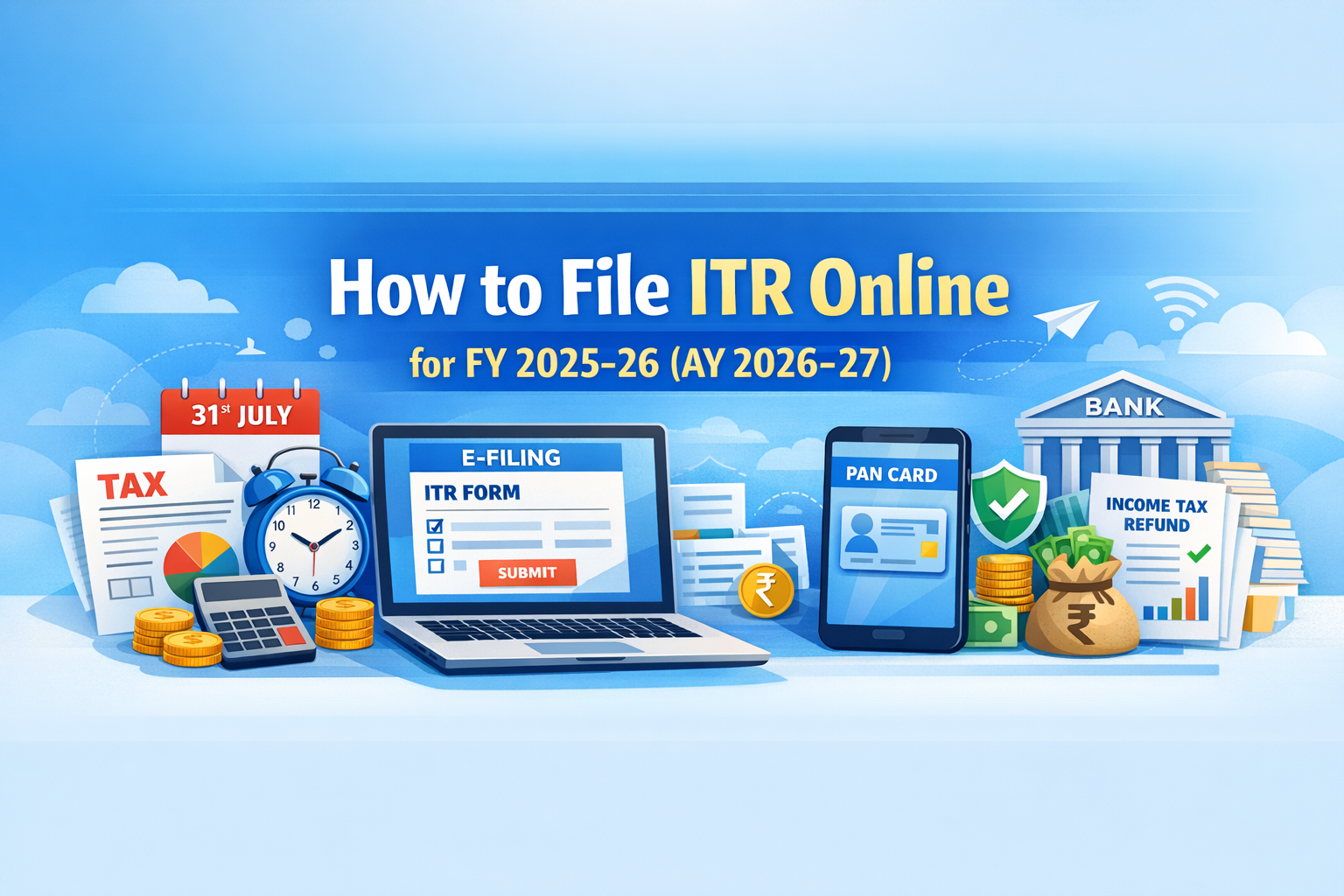
How to File ITR Online for FY 2025-26 (AY 2026-27)
Why Filing ITR Online Is Easier Than Most People Think
Every year, millions of salaried professionals in India either file their ITR incorrectly, miss the deadline, or pay someone else to do something they could easily handle themselves in 30 to 45 minutes.
The Income Tax Department has significantly improved the e-filing portal over the last few years. Most of your data comes pre-filled from your Form 16, Form 26AS, and AIS. For a salaried individual with no complex income sources, the filing process is genuinely straightforward once you understand the sequence.
This guide walks you through the complete ITR filing process for FY 2025-26 (AY 2026-27) step by step, with every decision point explained clearly so you know exactly what to do at each stage.
ITR Filing Due Date for FY 2025-26 (AY 2026-27): 31 July 2026 for salaried individuals and those not subject to audit. Filing after this date attracts a late fee of Rs. 5,000 (Rs. 1,000 if income is below Rs. 5 lakh). Under the new Income Tax Act 2025, revised returns can now be filed up to 31 March of the next year with a fee.
Before You Start: Documents to Keep Ready
Having all documents in one place before starting saves time and prevents errors mid-filing.
| Document | Purpose | Where to Get It |
|---|---|---|
| Form 16 (Part A and Part B) | Salary income and TDS details | From your employer (by 15 June) |
| Form 26AS | All TDS deducted on your PAN | Income Tax portal under My Account |
| AIS (Annual Information Statement) | Complete financial transactions linked to PAN | Income Tax portal under Services |
| Bank account statements | Interest income from savings accounts | From your bank |
| FD interest certificate | Interest income from fixed deposits | From your bank |
| Investment proofs | 80C, 80D deductions | PPF passbook, insurance receipts, etc. |
| Home loan certificate | Principal and interest amounts | From your lender |
| Rent receipts | HRA exemption claim | From your landlord |
| PAN and Aadhaar | Login and verification | Keep both handy |
For HRA exemption calculation before filing, use our HRA Calculator to verify the correct exempt amount. For understanding which deductions to claim, read the Section 80C deductions guide and Section 80D guide.
Which ITR Form Should You File?
Choosing the wrong ITR form is one of the most common filing mistakes. Here is a clear guide:
| ITR Form | Who Should File | Income Sources Covered |
|---|---|---|
| ITR-1 (Sahaj) | Salaried individuals with income up to Rs. 50 lakh | Salary, one house property, other sources (interest), agricultural income up to Rs. 5,000 |
| ITR-2 | Individuals and HUFs with no business income | Salary, capital gains, multiple house properties, foreign income, income above Rs. 50 lakh |
| ITR-3 | Individuals with business or professional income | All sources including business and profession |
| ITR-4 (Sugam) | Individuals, HUFs, firms opting for presumptive taxation | Business income under Section 44AD, 44ADA, or 44AE |
Most salaried professionals file ITR-1. If you have sold stocks or mutual funds during the year, or have income from more than one house property, you need ITR-2. For a complete understanding of ITR types, read the types of income tax returns guide.
Step-by-Step: How to File ITR Online on the Income Tax Portal
Step 1: Go to the Official Portal
Open your browser and go to:
incometax.gov.in
Always verify the URL carefully. The official portal URL contains “.gov.in”. Never use any other website claiming to be the income tax portal.
Step 2: Login to Your Account
Click on “Login” on the homepage.
Enter your PAN number as the User ID. Click Continue. Enter your password.
If you are a first-time user, click “Register” and complete registration with your PAN, mobile number, email, and bank account details. Aadhaar linking is mandatory for filing.
Step 3: Go to File Income Tax Return
After login, on your Dashboard:
Click e-File in the top menu
Select Income Tax Returns
Click File Income Tax Return
Step 4: Select Assessment Year and Mode
Select Assessment Year: 2026-27 (for income earned in FY 2025-26)
Select Mode: Online (recommended)
Click Continue
Step 5: Select Filing Status
Select Individual (for most salaried professionals)
Click Continue
Step 6: Select ITR Form
The portal may auto-suggest a form based on your profile. Verify it is correct using the table above.
For most salaried professionals: Select ITR-1
Click Proceed with ITR-1 (or whichever form applies)
Step 7: Select Reason for Filing
You will be asked why you are filing. Select the applicable option:
- Taxable income exceeds basic exemption limit (most common)
- Mandatory filing under Section 139(1) seventh proviso (if you have deposited Rs. 1 crore in current account, spent Rs. 2 lakh on foreign travel, or paid Rs. 1 lakh in electricity bills)
Step 8: Select Tax Regime
This is the most important decision in the filing process.
The portal will default to the new tax regime. If you want to opt for the old regime, you must actively select it here.
If you have not already compared both regimes, do it now before proceeding. The old vs new tax regime comparison has worked examples at multiple salary levels to help you decide. Changing the regime after filing is not straightforward.
Step 9: Verify Pre-filled Data
The portal pre-fills most of your data from:
- Form 16 submitted by your employer
- Form 26AS (all TDS credits)
- AIS (Annual Information Statement)
Go through each section carefully and verify:
- Personal information (name, PAN, Aadhaar, address)
- Salary income details
- TDS amounts match your Form 16
- Bank account details for refund
Do not blindly accept pre-filled data. Errors in pre-filled data are common and you are responsible for the accuracy of your return.
Step 10: Enter Income Details
Fill in all income sources:
Salary Income: This should be pre-filled from Form 16. Verify against your actual Form 16 Part B.
House Property Income: If you own a house, declare annual value. If you have a home loan, enter interest paid under Section 24(b) for deduction up to Rs. 2,00,000 on self-occupied property.
Other Sources: Enter savings account interest, FD interest, any other income. Even small amounts must be declared. Your AIS will show all interest income reported by banks to the tax department.
Capital Gains: If you sold stocks, mutual funds, or property during FY 2025-26, declare the gains here. This requires ITR-2, not ITR-1.
Step 11: Claim Deductions (Old Regime Only)
If you have opted for the old tax regime, enter all deductions in the relevant sections:
- Section 80C: Total investments in PPF, ELSS, EPF, LIC, NSC, home loan principal, tuition fees (up to Rs. 1,50,000)
- Section 80D: Health insurance premium for self, family, and parents
- Section 80E: Education loan interest paid
- Section 80G: Donations to eligible charities
- HRA Exemption: Enter under Allowances exempt under Section 10
- Standard Deduction: Rs. 50,000 (auto-applied in old regime)
In the new regime, only standard deduction (Rs. 75,000) and employer NPS contribution under 80CCD(2) are available.
Step 12: Review Tax Computation
After entering all income and deductions, the portal will show your tax computation:
- Gross Total Income
- Total Deductions
- Taxable Income
- Tax Liability
- TDS already deducted
- Net Tax Payable or Refund Due
Verify this against your own calculation. If there is a discrepancy, go back and check each section.
Step 13: Pay Tax if Required (Self-Assessment Tax)
If the computation shows tax payable (because TDS was insufficient), you must pay this before submitting your return.
Click Pay Now on the portal. Choose Challan 280, select the payment type as Self-Assessment Tax (300), and complete payment via net banking or UPI.
After payment, the challan details will be automatically updated in your return. Wait for 2 to 3 working days for the challan to reflect before filing if paying close to the deadline.
Step 14: Preview and Submit
Click Preview Return to see a summary of your complete ITR.
Review all sections one final time. Check the declaration checkbox confirming that the information is correct.
Click Proceed to Validation. If there are errors, the portal will flag them. Fix all errors before proceeding.
Click Submit.
Step 15: E-Verify Your Return (Most Important Step)
Submitting the return is not enough. Your ITR is valid only after verification.
You must e-verify within 30 days of filing. If you do not verify within 30 days, your return is treated as not filed.
Verification options (choose any one):
- Aadhaar OTP: OTP sent to mobile linked with Aadhaar (fastest and easiest)
- Net Banking: Login through your bank’s net banking portal
- Bank Account EVC: Electronic Verification Code via your pre-validated bank account
- Demat Account EVC: Via your demat account
- Physical ITR-V: Print signed copy and send by speed post to CPC Bengaluru within 30 days (avoid this, use digital verification)
After successful verification, you will receive an acknowledgment on your registered email. Your return status will show as “Successfully e-Verified.”
After Filing: What Happens Next
After e-verification, the Income Tax Department processes your return. For most salaried individuals with no complex income, processing takes 15 to 45 days.
You will receive an intimation under Section 143(1) by email confirming whether your return is accepted as filed, or if there is any discrepancy.
If you are due a refund, it will be credited directly to your pre-validated bank account after processing. Refund processing typically takes 2 to 6 weeks after the intimation is issued.
Track your refund status at: incometax.gov.in under Services > Refund Status, or on the NSDL portal.
Key Mistakes to Avoid While Filing ITR
Mistake 1: Wrong Assessment Year
For income earned in FY 2025-26 (April 2025 to March 2026), the Assessment Year is 2026-27. Many filers select the wrong AY, which creates significant problems. Verify this before proceeding.
Mistake 2: Not Verifying Pre-filled Data
Pre-filled data from Form 26AS and AIS can have errors or missing entries. Always cross-check against your actual Form 16 and bank statements before accepting.
Mistake 3: Not Declaring All Income Sources
Savings account interest, FD interest, dividend income, and freelance income must all be declared even if small. The AIS statement shows all transactions the tax department already knows about. Not declaring them creates mismatches and can trigger notices.
Mistake 4: Filing Without E-Verification
Many people submit the return and forget to verify. An unverified return is treated as not filed. Always complete e-verification immediately after submission.
Mistake 5: Missing the Deadline
The due date for FY 2025-26 is 31 July 2026. A late fee of Rs. 5,000 applies after this date. More importantly, if you have capital losses to carry forward, they cannot be carried forward if the return is filed late.
Mistake 6: Choosing Wrong Tax Regime
Once you file under a regime, changing it requires filing a revised return. Before selecting, always calculate tax under both regimes. Use the old vs new tax regime comparison to make the right decision.
Mistake 7: Not Reconciling Form 26AS and AIS
If the TDS shown in your return does not match Form 26AS, the department will adjust your refund or raise a demand. Always reconcile before filing. If there is a discrepancy, contact your employer or the deductor to correct it before the filing deadline.
ITR Filing for Specific Situations
Changed Jobs Mid-Year
You will have two Form 16s, one from each employer. Combine the income from both and file a single ITR. Your new employer may not have accounted for the previous employer’s TDS correctly, so verify total TDS against Form 26AS and pay any shortfall as self-assessment tax before filing.
Have Both Salary and Freelance Income
You cannot use ITR-1. File ITR-3 (actual expenses method) or ITR-4 (presumptive taxation under 44ADA, where you declare 50% of gross receipts as income without maintaining detailed accounts). For detailed guidance, refer to the income tax guide for freelancers.
Sold Stocks or Mutual Funds
You need ITR-2, not ITR-1. Capital gains from equity shares and mutual funds must be reported. LTCG above Rs. 1.25 lakh on listed equity is taxable at 12.5%. STCG is taxable at 20%.
Missed Filing Last Year
Under the new Income Tax Act 2025, you can file an updated return up to 31 March of the assessment year plus 2 years, with applicable fees and interest. File as soon as possible to avoid accumulating interest under Section 234A.
Frequently Asked Questions on ITR Filing
What is the last date to file ITR for FY 2025-26?
The due date is 31 July 2026 for salaried individuals and those not subject to audit. A late fee of Rs. 5,000 applies after this date (Rs. 1,000 if total income is below Rs. 5 lakh).
Is ITR filing mandatory if income is below taxable limit?
Not mandatory if income is below the basic exemption limit and you do not meet any of the mandatory filing criteria under Section 139(1). However, filing a nil return is advisable as it serves as proof of income for loan applications, visa processing, and future financial transactions.
Can I file ITR without Form 16?
Yes. You can file using your salary slips, Form 26AS, and AIS even if you have not received Form 16. However, Form 16 makes the process significantly easier and more accurate.
How do I claim a tax refund?
If excess TDS has been deducted from your salary or other income, file your ITR accurately declaring all income and deductions. The system will automatically calculate the refund. Ensure your bank account is pre-validated on the portal for the refund to be credited directly.
What is the difference between FY and AY?
FY (Financial Year) is the year in which you earned the income, running from 1 April to 31 March. AY (Assessment Year) is the following year in which you file the return and pay tax on that income. For income earned in FY 2025-26 (April 2025 to March 2026), the AY is 2026-27.
Can I revise my ITR after filing?
Yes. You can file a revised return to correct any mistakes made in the original return. Under the new Income Tax Act 2025, the deadline for revised returns has been extended to 31 March of the assessment year (with a fee), compared to the earlier 31 December deadline.
What happens if I do not e-verify my ITR?
If you do not e-verify within 30 days of filing, your return is treated as not filed. You will need to file a fresh return, which if done after the due date will attract late filing fees and interest.
Which ITR form should a salaried person with mutual fund gains file?
ITR-2. Once you have capital gains from any source including mutual funds or stocks, you cannot use ITR-1 regardless of the amount. Read the complete guide on types of income tax returns to understand which form applies to your situation.
Quick ITR Filing Checklist
| Task | Done? |
|---|---|
| Collected Form 16 from employer | |
| Downloaded Form 26AS from portal | |
| Reviewed AIS for any unreported income | |
| Calculated HRA exemption if applicable | |
| Decided old vs new regime | |
| Selected correct ITR form | |
| Verified all pre-filled data | |
| Declared all income sources | |
| Claimed all eligible deductions | |
| Paid self-assessment tax if required | |
| Submitted return | |
| E-verified within 30 days |
For a complete understanding of income tax including slabs, deductions, and planning strategies, read the Complete Income Tax Guide India 2025-26 and 2026-27.
Questions about your specific filing situation? Drop them in the comments below.