How to Unfreeze NPS Account: Minimum Contribution, Penalty and Reactivation Steps
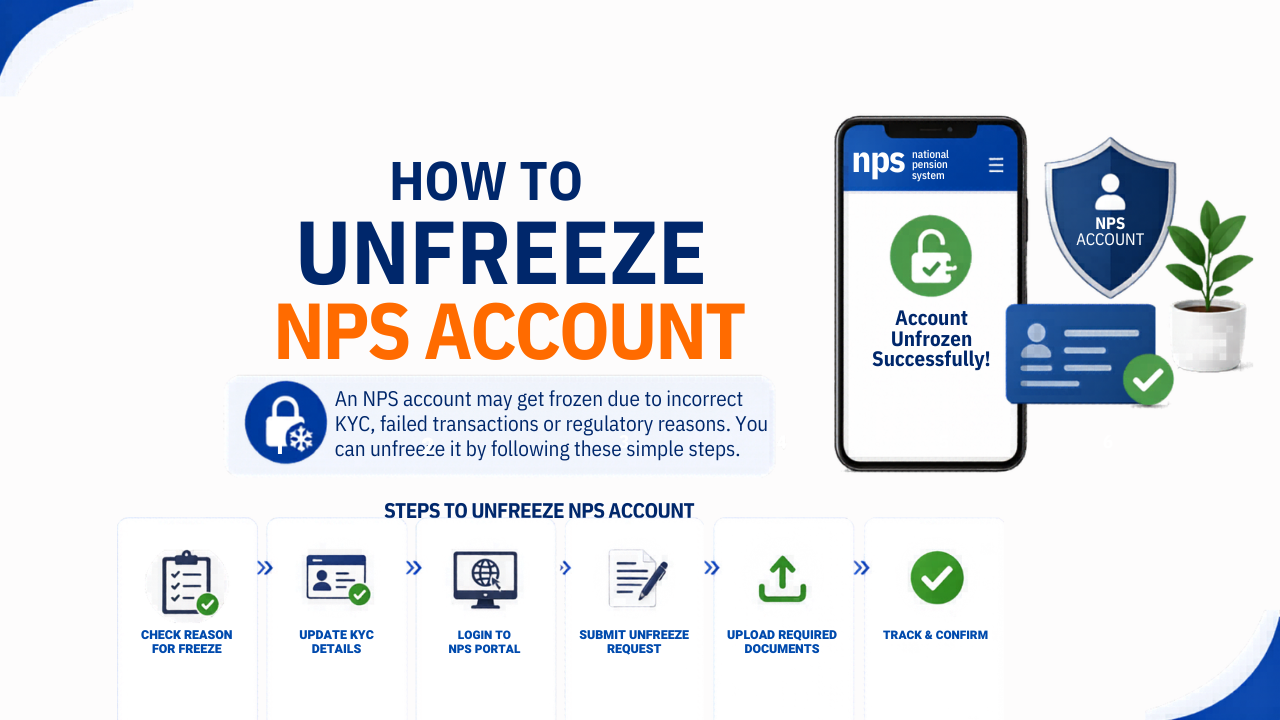
If your NPS Tier 1 account has been frozen, it means you missed the mandatory minimum contribution of Rs. 1,000 in a financial year. A frozen NPS account cannot process any transactions including contributions, withdrawals or fund switches until it is reactivated. Reactivation can be completed either online through the eNPS portal or offline through your nearest Point of Presence (PoP).
This guide covers why NPS accounts get frozen, the exact amount you need to pay, and the step-by-step process for both online and offline reactivation.
Why Does an NPS Account Get Frozen?
The most common reason an NPS Tier 1 account gets frozen is non-payment of the minimum annual contribution. Under PFRDA rules, every NPS Tier 1 subscriber must contribute at least Rs. 1,000 in a financial year. If this minimum is not met by March 31 of that year, the account is marked as frozen from April 1 of the following financial year.
For example, if you do not contribute Rs. 1,000 by March 31, 2025, your account will be frozen from April 1, 2025.
Other reasons an NPS account may be frozen include:
- Incomplete or pending KYC documentation
- Non-submission of the physical membership form to the PoP or CRA
- Missing or invalid KYC documents
- KYC documents rejected by the intermediary bank
This guide addresses the most common scenario, which is freezing due to non-payment of minimum contribution.
Penalty for a Frozen NPS Account
The Pension Fund Regulatory and Development Authority (PFRDA) charges a penalty of Rs. 100 for subscribers belonging to Tier 1 or Tier 2 or both accounts. For regular accounts, the deposit amount required is Rs. 500 per month for the current fiscal year along with a penalty of Rs. 100 for the year of the frozen account.
If the contribution amount is less than the minimum expected amount, the CRA rejects the contribution during the uploading process.
How to Unfreeze NPS Account Online
Step 1: Visit the eNPS portal at https://enps.nps-proteantech.in and log in using your valid credentials.
Step 2: Click on the Contribution option located on the top menu.
Step 3: Enter all mandatory details such as PRAN details, type of NPS subscriber and date of birth.
Step 4: Initiate the minimum contribution of Rs. 1,000 on the following page.
Step 5: You will receive an OTP. Enter the OTP and security captcha to submit your application.
Step 6: You will receive a confirmation of your payment on your registered email ID. The account will thereafter unfreeze successfully.
How to Unfreeze NPS Account Offline Through PoP
PoP-SP (Point of Presence Service Provider) entities located all over India undertake the process of unfreezing NPS accounts offline. You are not restricted to the PoP where you originally opened your account.
For non-payment of minimum contribution:
Step 1: Locate your nearest PoP-SP through the CRA portal
Step 2: Fill out Form UOS-S10, the PFRDA unfreeze request form, and submit it to the representative at the PoP-SP.
Step 3: Attach a copy of your PRAN card along with the form.
Step 4: Deposit a minimum amount of Rs. 500 per month along with a penalty of Rs. 100 for the period during which the account was frozen.
Step 5: Submit the contribution amount via cash, cheque or demand draft using the NPS Contribution Instruction Slip (NCIS). The amount gets credited to your account via the PoP-SP and the outcome is uploaded into the CRA system.
Step 6: Once approved, your NPS account will be activated and an activation confirmation email will be sent to your registered email address.
For pending KYC compliance: Follow up with the PoP-SP to complete KYC verification. If KYC documents were missing or invalid, submit all required documents to the PoP-SP for verification and account unfreezing.
For non-submission of membership form: Submit the membership form to the CRA. The account will be reactivated within a few days from the submission date.
NPS Tier 2 Account: Is It Affected by a Frozen Tier 1?
NPS Tier 2 accounts have no mandatory minimum annual contribution requirement. However, Tier 2 requires an active Tier 1 account to function. If your Tier 1 account is frozen, Tier 2 operations are also restricted until the Tier 1 account is reactivated. Once the Tier 1 account is unfrozen, Tier 2 operations resume normally.
What Happens When an NPS Account Is Frozen
When your NPS Tier 1 account is frozen, the following restrictions apply:
- No new contributions can be made to the account
- No partial withdrawals are permitted
- No fund manager or scheme switches can be initiated
- Tax deductions under Section 80CCD(1) and Section 80CCD(1B) cannot be claimed for the financial year in which the minimum contribution was not met
The tax implication is significant — for the complete picture of how income tax deductions work, see our income tax guide India. If your account is frozen because you did not contribute the minimum Rs. 1,000 in a financial year, you lose the NPS tax deduction for that year entirely. This includes the additional Rs. 50,000 deduction available under Section 80CCD(1B), which is over and above the Rs. 1.5 lakh Section 80C limit. For a complete explanation of NPS tax deductions, see NPS Tax Benefit FY 2026-27: Save Rs. 2 Lakh Under 80CCD(1) and 80CCD(1B).
How Long Does It Take to Unfreeze an NPS Account?
An NPS subscriber must fill up the form and submit it to the PoP-SP or the CRA. The NPS account will unfreeze within a few days from the date of submission of the form.
How to Check If Your NPS Account Is Frozen
Log in to the CRA portal using your PRAN and password. You may also receive a message from PFRDA informing you that your NPS account has been frozen. If you receive a message stating that you are not eligible for making contributions to your account, your account may already be frozen or at risk of being frozen.
How to Avoid Your NPS Account Getting Frozen Again
Once your account is reactivated, the following steps will help you maintain it in active status:
- Contribute at least Rs. 1,000 to your Tier 1 account before March 31 of every financial year
- Set a calendar reminder in January or February each year to check your NPS contribution balance on the CRA portal
- If you have a corporate NPS account through your employer, confirm with your HR or payroll team that contributions are being credited to your PRAN regularly
- Log in to the CRA portal periodically to verify your account status and contribution history
NPS is one of the most tax-efficient retirement instruments available under the old tax regime. For a broader look at how NPS fits alongside PPF and ELSS for tax saving under Section 80C, see Section 80C Deductions List FY 2025-26.
Key Facts at a Glance
| Point | Detail |
|---|---|
| Minimum annual contribution (Tier 1) | Rs. 1,000 per financial year |
| Online reactivation contribution | Rs. 1,000 |
| Offline reactivation contribution | Rs. 500 per month for the frozen period |
| Penalty | Rs. 100 per year of default |
| Online reactivation portal (Protean) | enps.nps-proteantech.in |
| Offline reactivation form | Form UOS-S10 |
| Tier 2 impact | Restricted if Tier 1 is frozen |
| Tax deduction impact | Sections 80CCD(1) and 80CCD(1B) lost for year of non-contribution |